Air records · Indonesia
Alira Hospitals
Recorded room by room, reported as it stands.
- Web
- iOS
概要
Overview
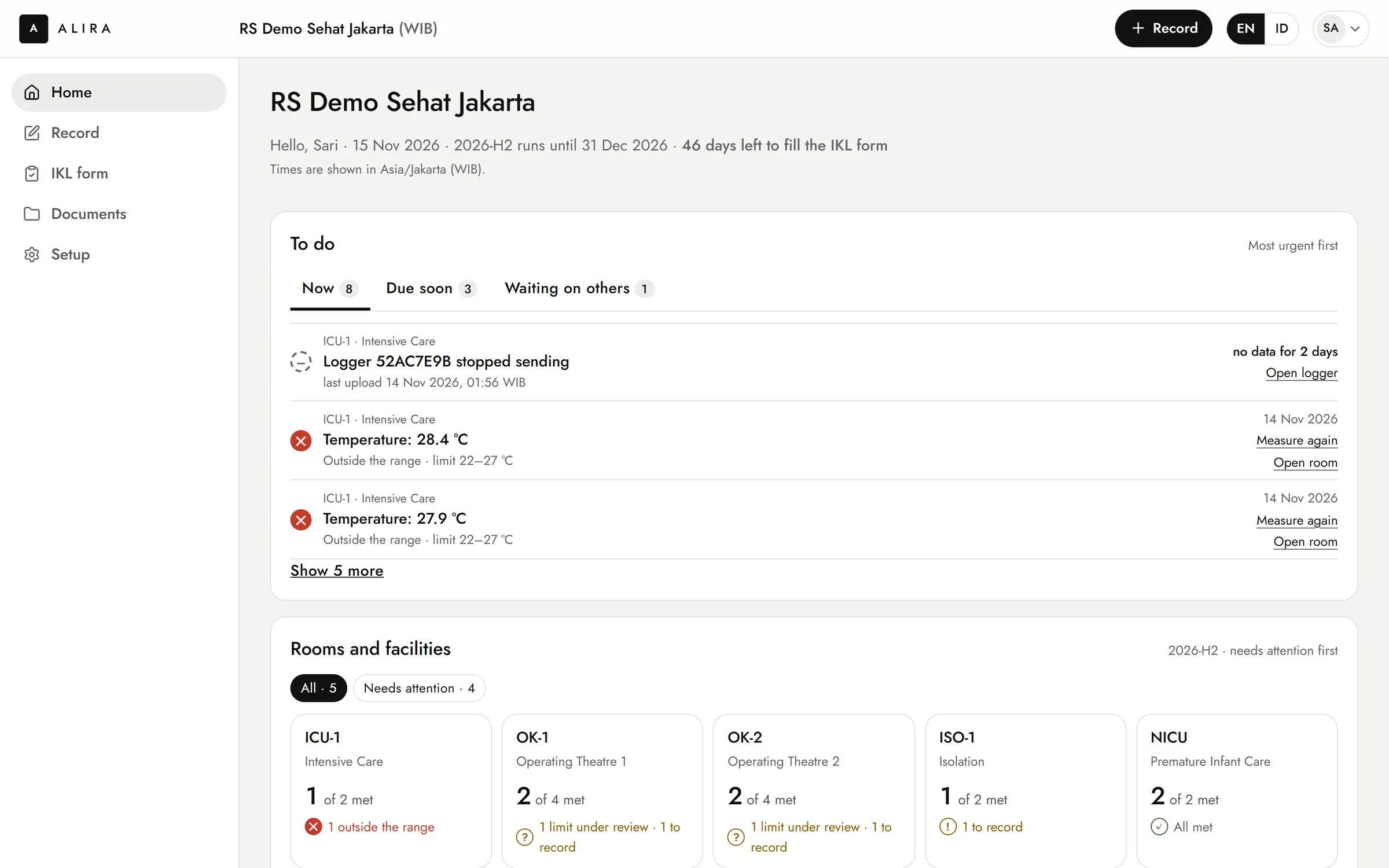
Permenkes 7/2019 sets a range of temperature and humidity for hospital rooms, and Alira keeps each room's record against it. In rooms that need constant monitoring, a logger takes a reading every 10 minutes and uploads it over the hospital's Wi-Fi. In every other room, staff read a handheld meter and enter the temperature and humidity on an iPhone.
The record becomes reports ready for inspections and audits. A reading outside the range is kept and marked, never dropped. The six-monthly IKL form is worked out from the same records, section by section; it is not an official assessment, and the hospital's staff check every item before it is sent. The airflow seen from an iPhone scan of a room is an estimate, never a pass or fail under the regulation.
使い方
How it works
-
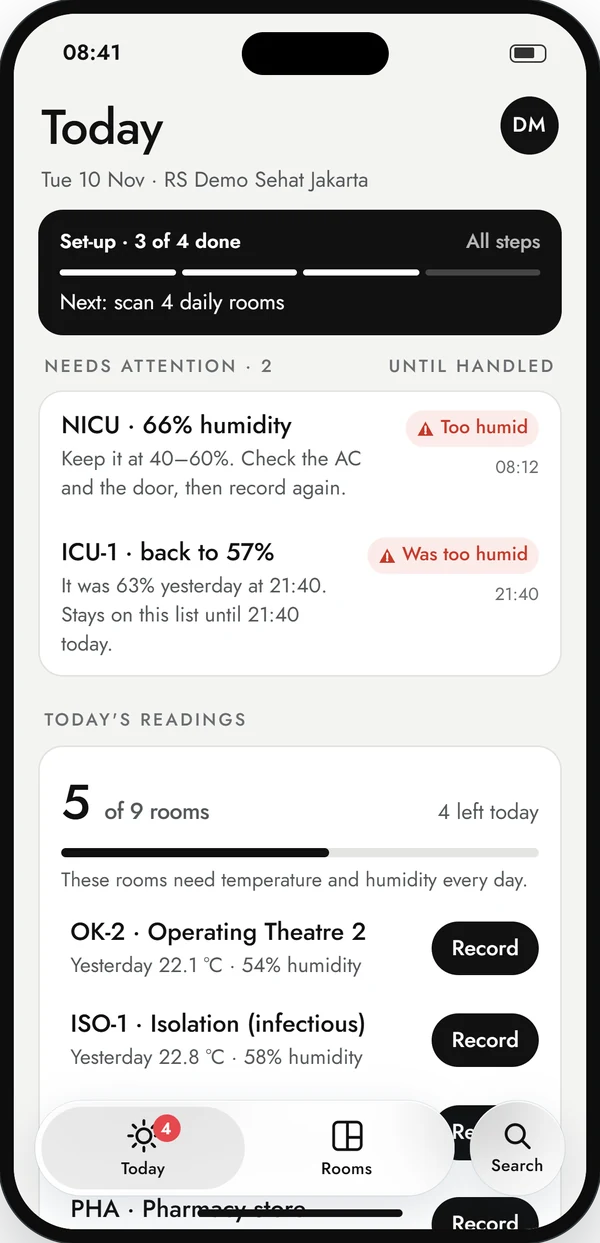 01
See today's list
Only what is still open today: rooms without today's reading, and readings outside the range.
-
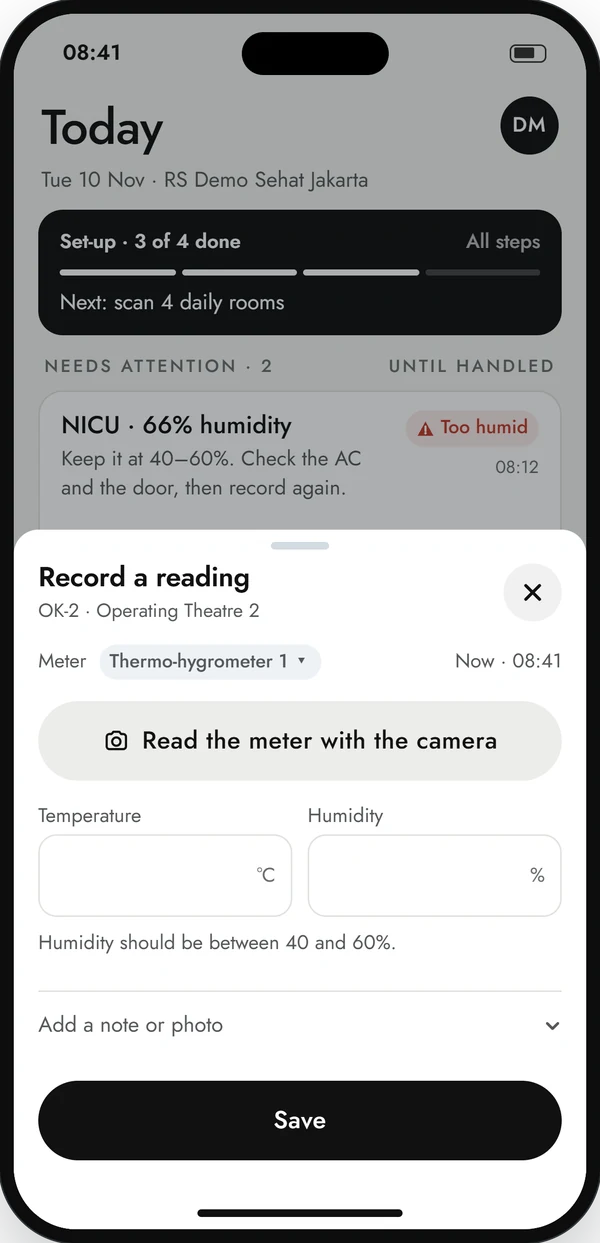 02
Enter two numbers
Type the temperature and humidity from the handheld meter, then tap Save.
-
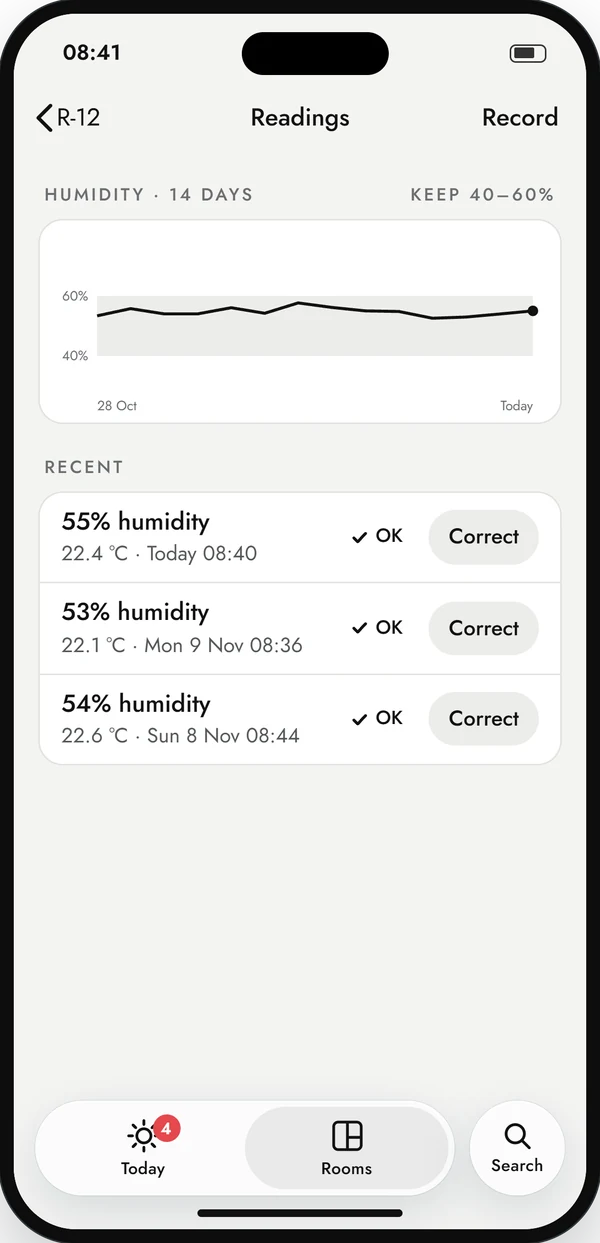 03
Compare with the range
The last 14 days are drawn as a line against the regulation's range.
-
 04
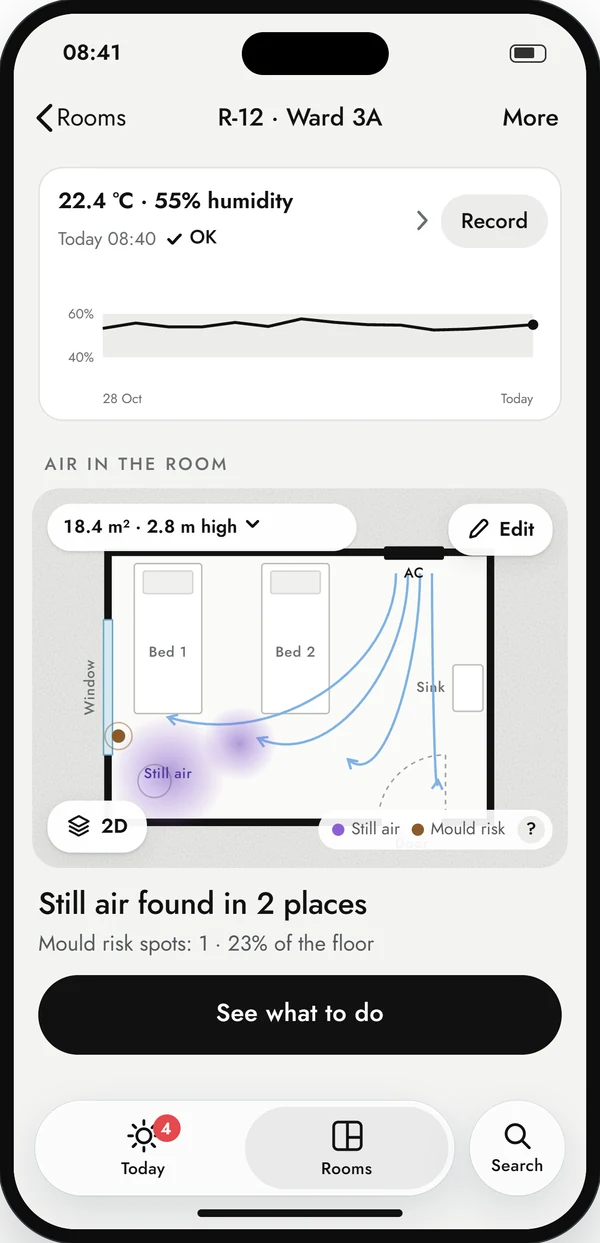
See the air in the room
Scan the room with an iPhone to see where the air stands still and where mould may grow.
ポータルで分かること
What the portal shows
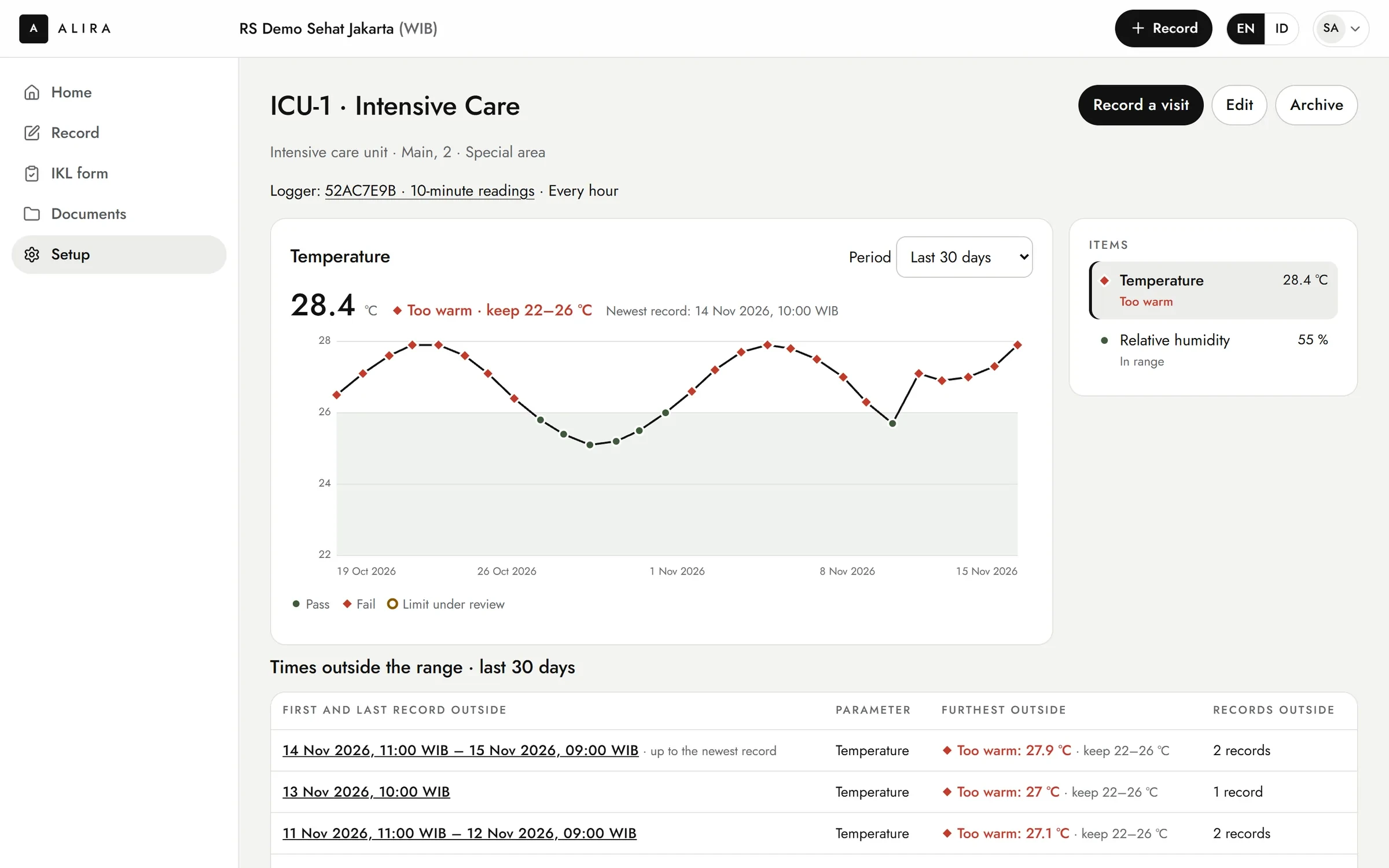
01 Every value next to its limit
30 days of temperature drawn against its range. Each time outside the range is one row: when it started and ended, how far outside, and how many records.
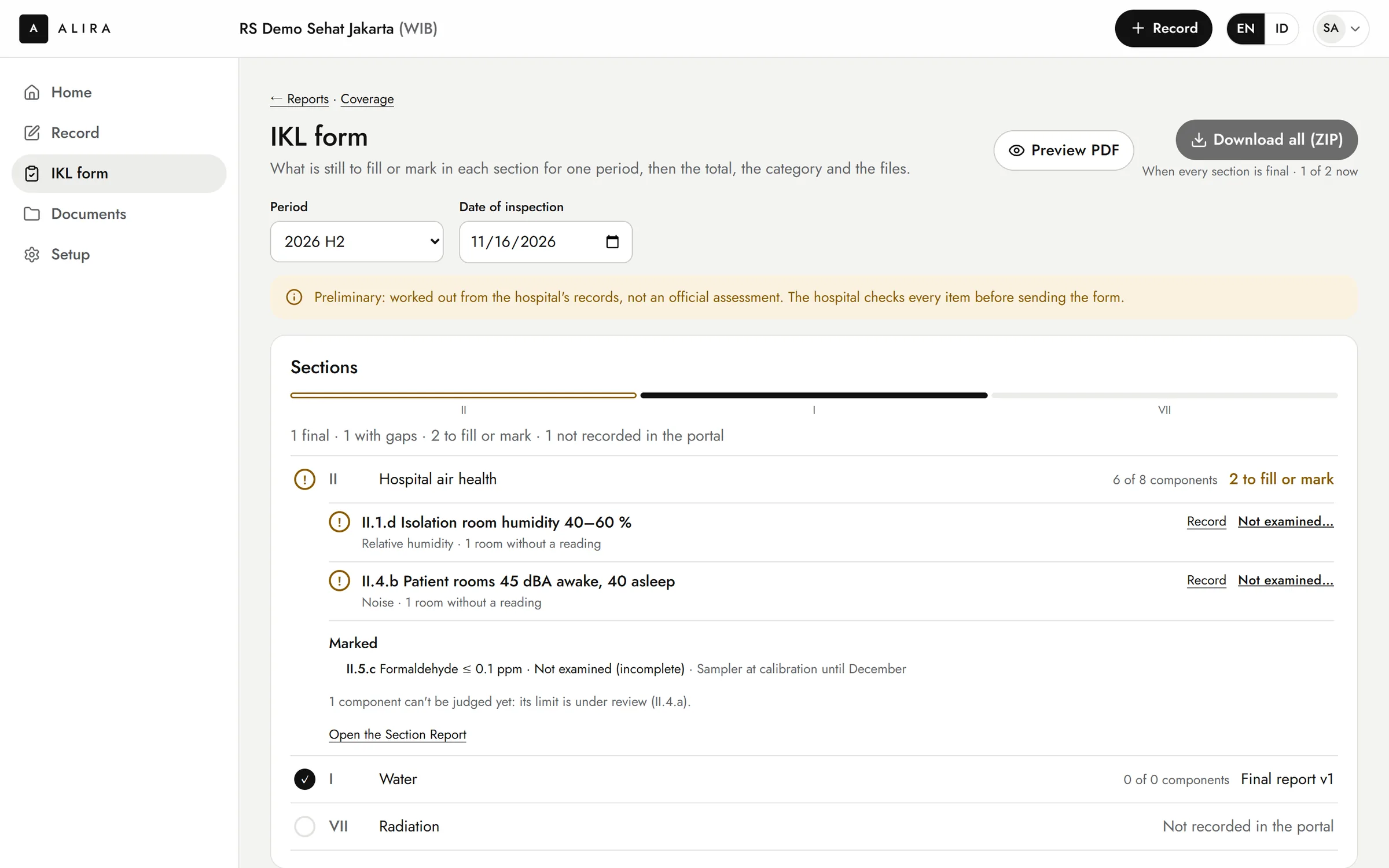
02 The IKL form, section by section
Worked out from the hospital's records, not an official assessment: what is still missing in each section, what can be marked "not examined", and what is final. Once every recorded section is final, all the files download as one ZIP.
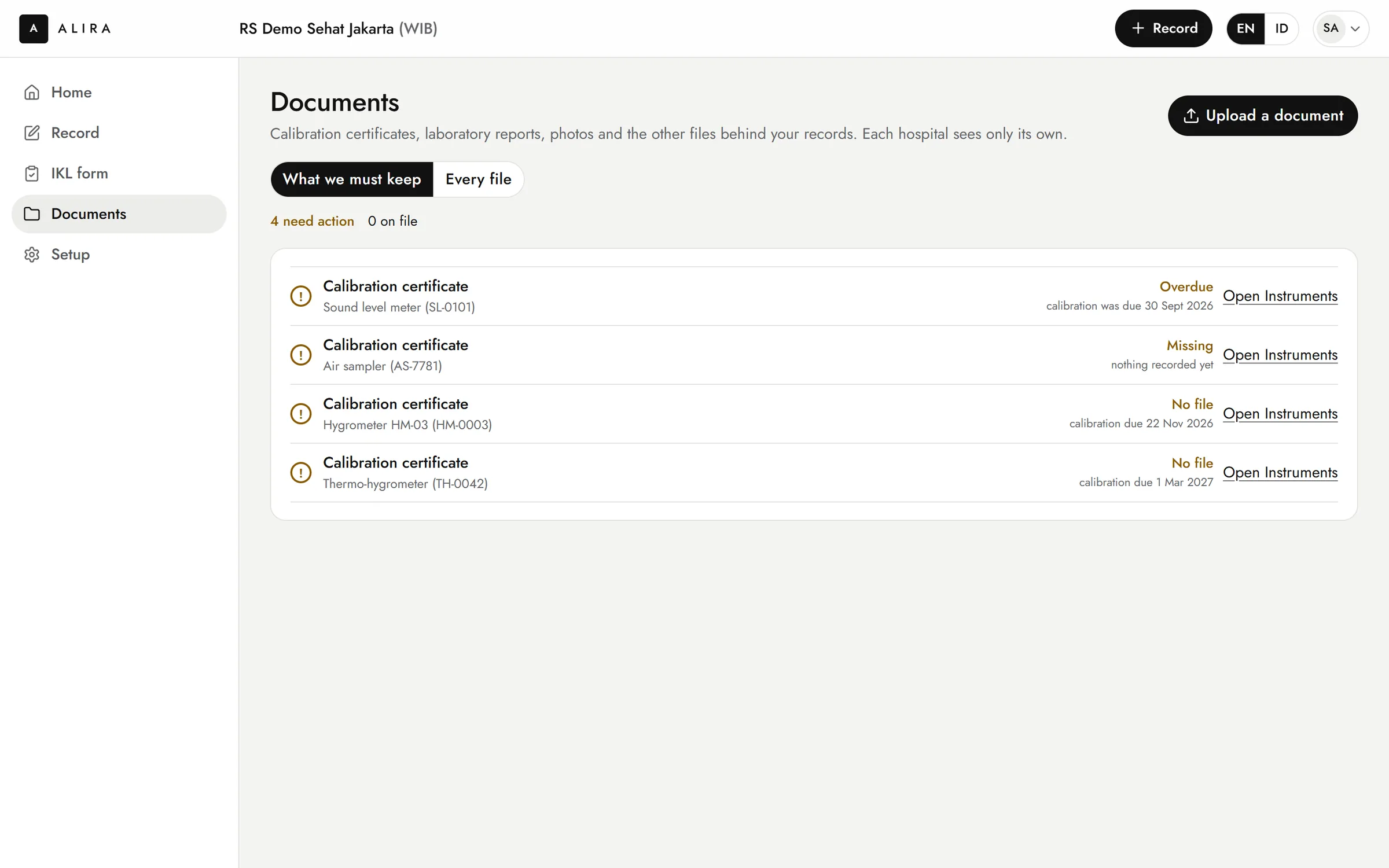
03 Calibration certificates, tracked
Each instrument's calibration certificate is listed under "What we must keep", with the overdue and missing ones marked.
04 When a logger stops sending
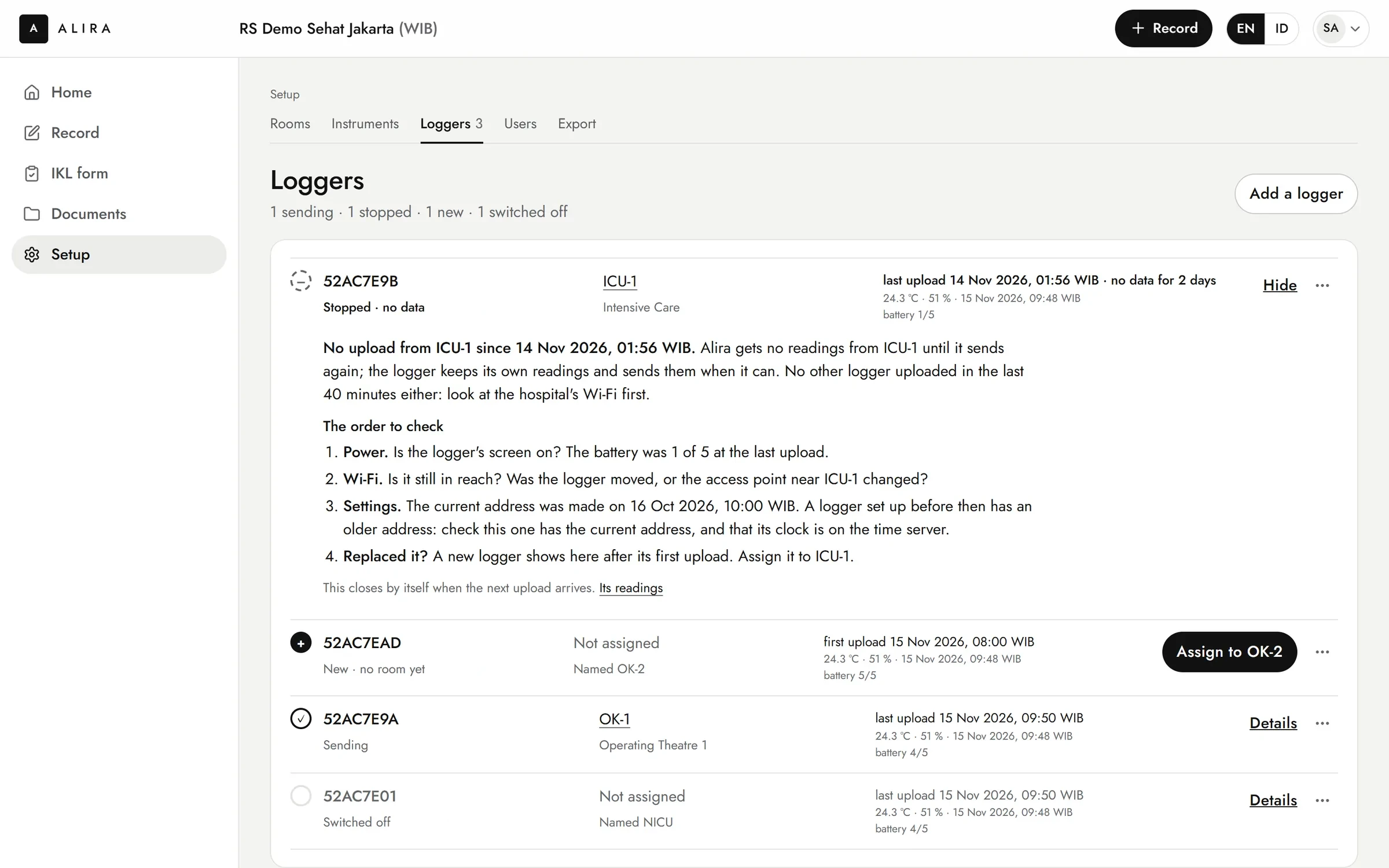
A logger that stops sending is listed first, with the order to check: power, Wi-Fi, settings, replacement. The entry clears itself when the next upload arrives.
主な機能
Features
- 01
Each instrument's calibration
The portal tracks each instrument's calibration certificate and marks the ones overdue or missing.
- 02
Reports ready to hand over
The record becomes reports for inspections and audits. The six-monthly IKL form (9 sections, out of 10,000) is worked out from the sections recorded in the portal, and is not an official assessment.
- 03
A logger or a handheld meter
Rooms that need constant monitoring get a logger reading every 10 minutes; in every other room, staff enter a handheld meter's numbers on an iPhone.
- 04
Readings kept through an outage
A logger keeps its readings while the network is down and sends them later. A gap with no data is never counted as a fail.
- 05
Out-of-range readings kept
A reading outside the range is kept and marked, and a limit the regulation leaves unclear is shown as "limit under review", not pass or fail.
- 06
Data stays in Indonesia
Records are kept on a server in Jakarta, and each hospital sees only its own.
想定する利用者
Who it’s for
- Environmental health (Kesling), facility and quality teams at hospitals
- Hospital groups
お問い合わせ
Let’s talk
For project requests, consultations or any other questions, get in touch. We will review your message and get back to you.